
Article Highlights
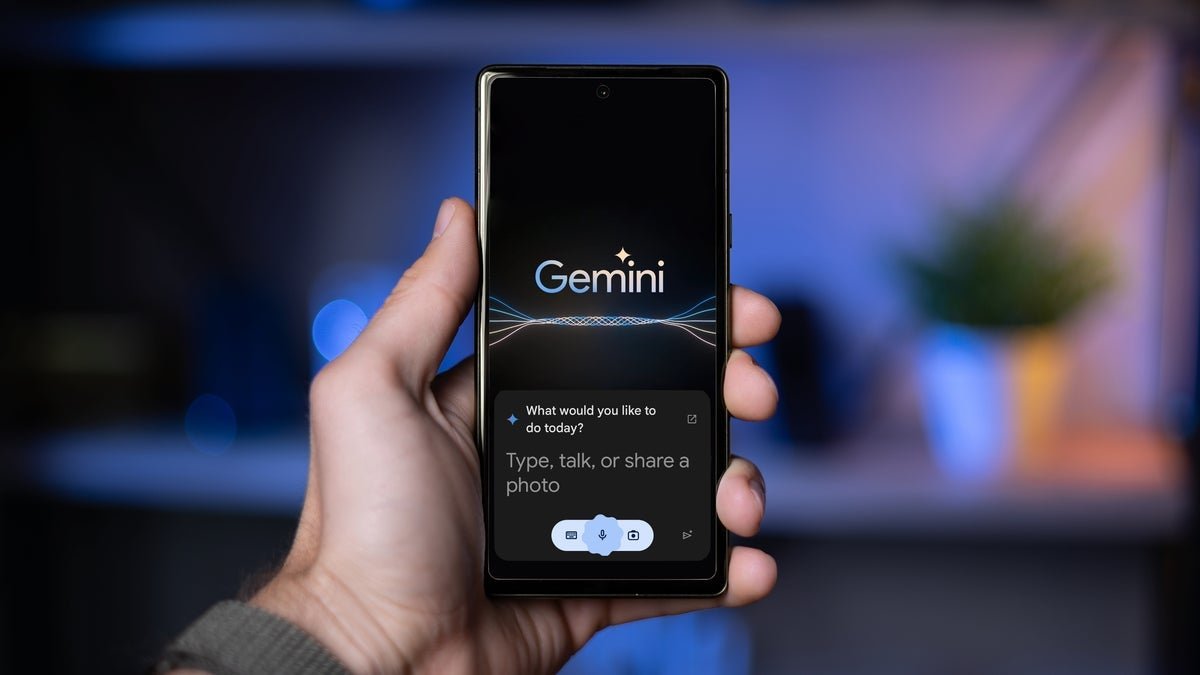
- The Google Gemini app combines text, voice, images, and camera-based assistance in one mobile experience.
- Gemini Live makes conversations with the AI feel more natural and interactive.
- Android users can use Gemini for contextual screen assistance and selected device actions.
- Connected Google services can make the Google Gemini app more useful for communication, planning, and productivity.
- Gemini is powerful but can make mistakes, so important information should always be verified.
There was a time when I thought a smartphone assistant was mainly useful for setting alarms, checking the weather, or answering simple questions. After spending more time with the Google Gemini app, I see it differently. The Google Gemini app feels less like a traditional voice assistant and more like a flexible digital companion that can help me think, write, research, plan, and interact with information around me.
That does not mean the Google Gemini app is perfect. It can still misunderstand a request, produce incorrect information, or struggle with certain actions. Google itself warns users to double-check important answers and not treat Gemini as professional medical, legal, or financial advice.
But when I use it for everyday tasks, the experience can feel surprisingly close to having a personal assistant in my pocket.
Getting Started With the Google Gemini App
The first thing I like about the Google Gemini app is how many different ways I can interact with it. I can type a question, speak naturally, upload an image, take a photo, or use the camera to show Gemini what I am looking at.
Google supports the Google Gemini app on both Android and iPhone, although the available features can vary depending on the device, account, language, and location.
On iPhone, I can open the Google Gemini app, sign in to my Google Account, and start a conversation through typing, voice, or Gemini Live. On Android, the experience goes further because Gemini can also function as the mobile assistant and provide contextual help while I am using other apps.
That difference matters because the Android experience makes the Google Gemini app feel more integrated into the phone rather than simply another application I open when I need an answer.
The Google Gemini App Is More Useful When I Talk Naturally
One of the biggest changes I noticed is that I do not have to formulate every request like a search query. Instead of typing a collection of keywords, I can explain what I am trying to accomplish.
For example, I might say that I am planning a weekend trip, explain my budget and interests, and ask Gemini to help organize the idea. The Google Gemini app can help turn that conversation into a more structured plan.
Google also allows Gemini to work with services such as Gmail, Google Maps, Google Drive, Calendar, and other connected apps when the appropriate connections and permissions are available. This is where the Google Gemini app starts to feel more like an assistant than a search box.
Gemini Live Makes the Conversation Feel More Natural
Gemini Live is probably one of the features that best demonstrates where Google’s mobile AI experience is heading.
Instead of typing a question and waiting for a conventional response, I can have a spoken conversation with Gemini. Google describes Gemini Live as a way to have more natural, real-time conversations that can move back and forth at a conversational pace.
The Google Gemini app can therefore be useful when my hands are busy or when speaking feels more convenient than typing.
I can use it to brainstorm an idea, rehearse an interview, talk through a problem, or ask follow-up questions without repeatedly stopping to type. For me, that makes the Google Gemini app considerably more practical during everyday situations.
The Camera Turns the Google Gemini App Into a Visual Assistant
The camera functionality is another feature I find genuinely useful. I can point my phone at something and ask Gemini what I am looking at. Google says the mobile experience can use photos and the camera to answer questions about surroundings.
This opens up a lot of practical possibilities. I could photograph a complicated document and ask for a simpler explanation. I could show the Google Gemini app an object and ask what it is. I can photograph something I don’t understand and ask for help interpreting it.
It is important to remember that visual AI can make mistakes too. I would never treat a Gemini response as proof that something is medically or technically correct without checking a reliable source.
The Google Gemini App Can Help With Writing
As someone who works with online content, this is one of the areas where I find the Google Gemini app particularly convenient. I can ask it to rewrite a sentence, correct grammar, explain why something sounds awkward, brainstorm headlines, create an outline, or simplify complicated wording.
The difference is that I can continue the conversation instead of starting over each time. For example, I can ask for a professional introduction and then tell Gemini to make it shorter, more conversational, and easier to understand. That conversational editing process makes the Google Gemini app useful as a writing companion rather than simply a text generator.
I would still edit the final result myself. Good publishing requires human judgment, fact-checking, context, and an understanding of the intended audience.
Connecting Gmail and Other Google Services
The Google Gemini app becomes more interesting when connected services are available. Google says Gemini can summarize and find information from services such as Gmail and Drive, while connected apps can also help with calendars, communications, media, and other tasks depending on the setup.
This is where the idea of a personal assistant becomes much more convincing. Instead of separately opening several applications, I can ask Gemini to help me find information or organize a task.
The important word here is permission. I would not connect every service automatically. I would first look at what information the connection gives Gemini access to and decide whether that convenience is worth it.
The Google Gemini App Can Understand What Is on Your Screen
Android users get another useful capability when Gemini is configured as the mobile assistant. Google says Gemini can provide contextual help related to what is currently on the screen. For example, users can ask it to summarize a webpage or provide more information about something visible on the screen.
This makes the Google Gemini app feel much more integrated with the phone. Imagine reading a long webpage and wanting a quick explanation. Instead of copying the text into another application, Gemini can potentially work from the screen context. That is a small feature, but it changes how I think about an AI assistant.
Voice Commands Can Do More Than Answer Questions
On supported Android devices, the Google Gemini app can also perform certain actions. Google says Gemini can help with things such as alarms, timers, device settings, media controls, and notifications through its device assistance capabilities.
Some users can also use Gemini to send messages through connected communication apps—Google Docs supports asking Gemini to compose and send messages using the Messages app on Android.
This is one of the moments where the Google Gemini app starts behaving like the assistant I expected smartphones to have years ago. Instead of simply answering what time it is, an assistant can potentially help me do something with that information.
Planning Trips With the Google Gemini App
Travel planning is another area where the Google Gemini app can save time. Google says Gemini can help with plans involving Google Maps and Google Flights, while the iPhone experience can also create custom itineraries involving flights and hotels based on requirements such as destination, dates, duration, and price.
I would still verify prices, availability, booking conditions, and cancellation policies before paying for anything. But as a planning tool, the Google Gemini app can be useful because I can give it several requirements in one conversation rather than searching for every part separately.
Where the Google Gemini App Still Falls Short
The biggest mistake would be assuming that the Google Gemini app is always correct.
It is not.
Google explicitly warns that Gemini can produce inaccurate or inappropriate information and recommends checking responses.
I especially would not rely on it unthinkingly for medical, legal, financial, or other professional decisions.
There are also differences between Android and iPhone. Some Android assistant functions are not available on iOS, and some features depend on the user’s account, country, language, and device.
Google is also continuing to expand Gemini into more agent-like experiences. In May 2026, Google announced new developments aimed at making Gemini more proactive, including daily briefs and Gemini Spark. That makes the Google Gemini app an evolving product rather than a finished assistant.
Privacy and Permissions Deserve Attention
The more useful the Google Gemini app becomes, the more important permissions become. If Gemini is connected to Gmail, Drive, Maps, Messages, or other services, I would take a few minutes to understand what each connection allows.
Convenience should not automatically mean giving an AI access to everything. My approach is simple. I connect services that genuinely save me time and review permissions periodically. I also avoid treating private or sensitive information casually.
That balance is especially important as AI assistants become more capable of taking actions instead of merely generating answers.
Is the Google Gemini App Really a Personal Assistant?
After using the Google Gemini app across different kinds of tasks, I think the answer is yes, with an important qualification.
- It is not a replacement for human judgment.
- It is not an infallible search engine.
- It is not a professional adviser.
- But it can act as a useful layer between me and my phone.
I can talk to it, show it something with my camera, ask it to explain information, use it for writing, brainstorm ideas, organize plans, and connect it with selected Google services. That combination is what makes the Google Gemini app interesting.
My Final Verdict on the Google Gemini App
The biggest strength of the Google Gemini app is not one spectacular feature. It is the combination of text, voice, images, camera input, connected services, and Android assistant capabilities.
When those pieces work together, the Google Gemini app genuinely feels like a personal assistant sitting inside my phone.
The experience is still evolving, and I would not hand over every decision to an AI. I would also check important facts rather than accepting every answer at face value.
But for everyday productivity, planning, writing, learning, and quick assistance, the Google Gemini app has become much more capable than the basic smartphone assistants many of us grew accustomed to. And that is why I think the phrase personal assistant in my pocket finally makes sense.