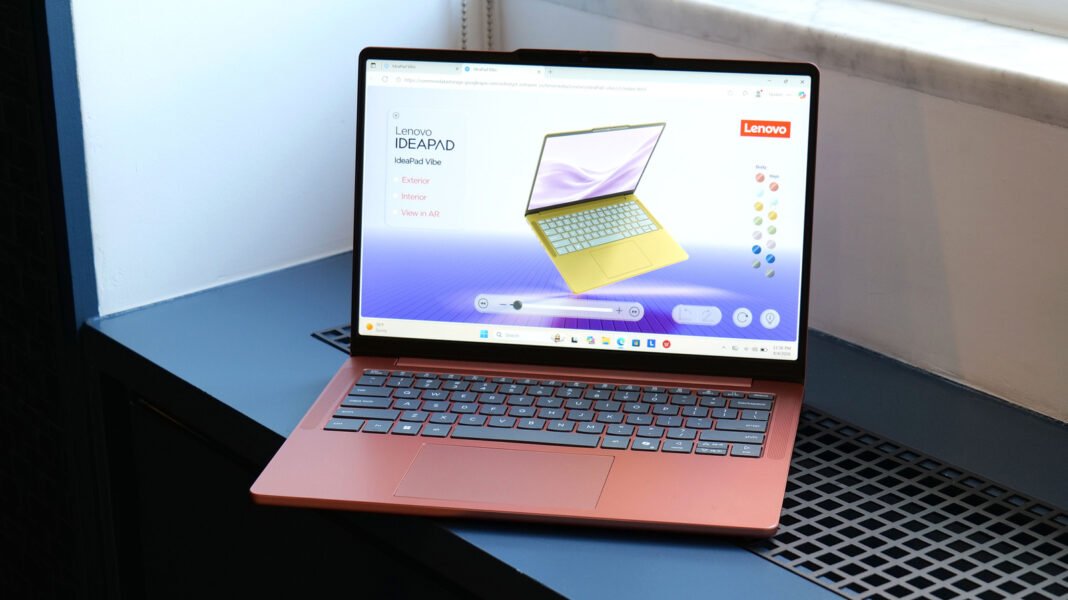

I have spent years testing budget and mid-range laptops, and I can tell you that most of them look and feel the same. Grey slab, grey keyboard, grey life. So when Lenovo pulled the curtain back on the IdeaPad Vibe at IFA 2026 in Berlin, it caught my attention for a reason that has nothing to do with raw power.
This Lenovo IdeaPad Vibe Review is my honest, hands-on take on a laptop built to go after Apple’s MacBook Neo, but priced like something you would actually buy for a college student or a first work laptop.
Before I go further, I want to be upfront about something. The IdeaPad Vibe has not fully shipped yet at the time of writing this Lenovo IdeaPad Vibe Review. AMD-powered models are set to arrive in October 2026, Snapdragon X models follow in November, and Intel configurations are promised for a later date.
What I am sharing here comes from spending time with pre-production units at the Lenovo event, combined with the official specification sheet Lenovo has released. I will update this Lenovo IdeaPad Vibe Review once I get a retail unit in for long-term testing, because that is the only fair way to judge battery life and real-world performance.
What Is the Lenovo IdeaPad Vibe
The IdeaPad line has always been Lenovo’s value-oriented family, sitting below the ThinkBook and ThinkPad ranges. It rarely gets the spotlight, since Yoga handles the convertibles and ThinkPad owns the business crowd. The Vibe changes that by leaning hard into personality.
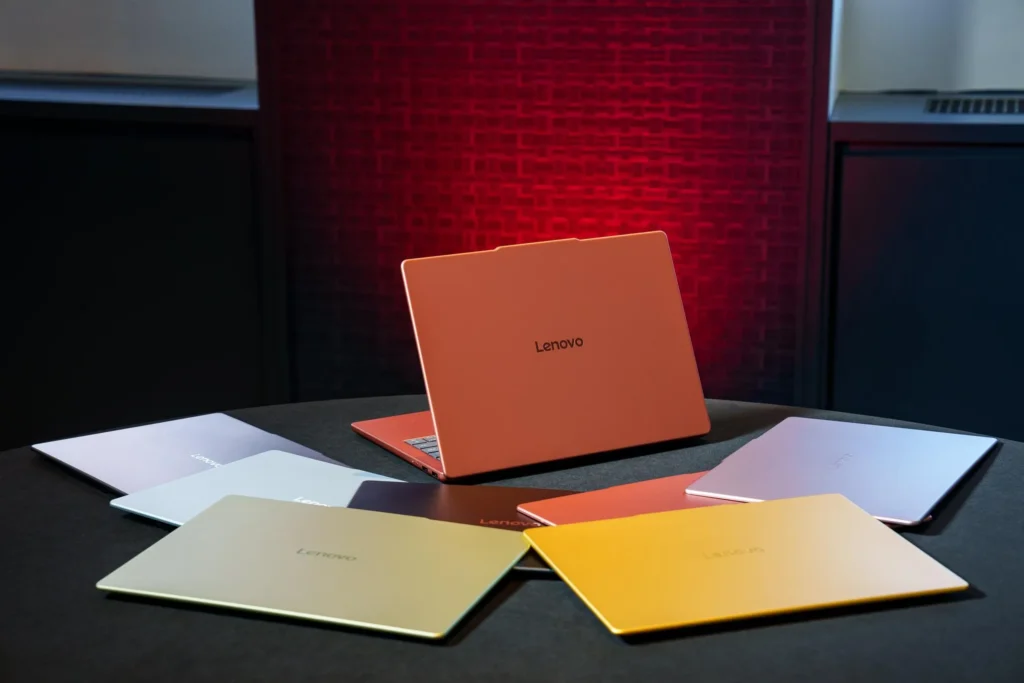
Every part of this Lenovo IdeaPad Vibe Review keeps coming back to one word Lenovo used repeatedly during the briefing, and that word is vibe. It is not just marketing fluff either. Lenovo partnered with the Pantone Color Institute to develop seven finishes for this laptop, something you rarely see outside of phones or Chromebooks aimed at teenagers.
Design and Build Quality
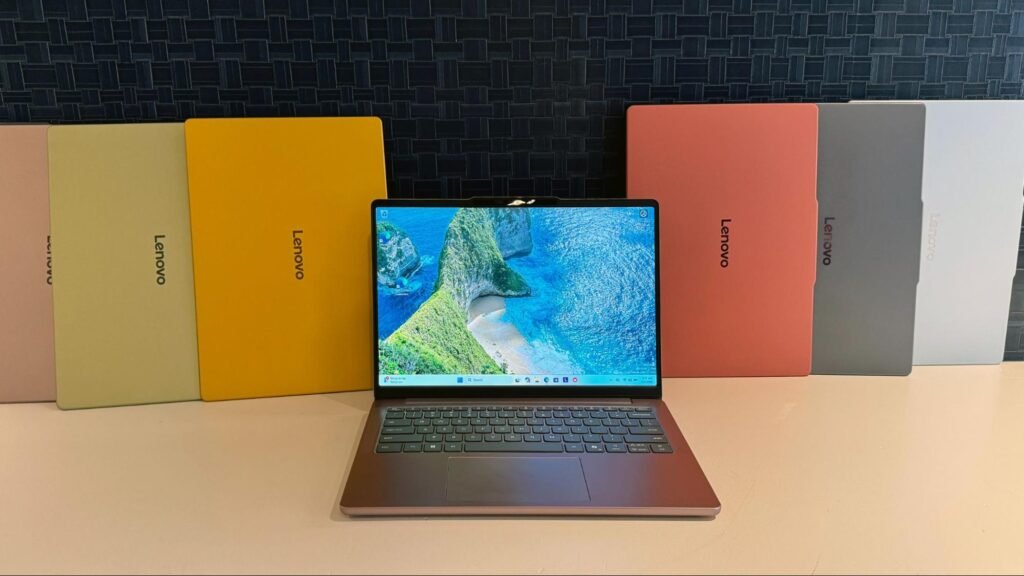
Holding a pre-production Vibe in person, I was surprised by how solid it felt for a laptop starting under seven hundred dollars. The chassis measures roughly 0.59 inches thick, and the 14-inch model weighs about 2.8 pounds, while the 15-inch version comes in at around 3.3 pounds. Some configurations use an all-metal shell, while others go with a metal lid and keyboard deck paired with a plastic bottom panel to hit that lower price point. Either way, it does not feel like the flimsy plastic budget laptops I have tested in the past.
The seven colors Lenovo settled on are Dreamy Violet, Spicy Gold, Zen Green, Chill Blue, Radiant Coral, Moody Blue, and Lowkey Gray. I know the names sound like they came out of a paint sample aisle at a hardware store, but the finishes themselves looked genuinely good in person, not cheap or plasticky. There is also a neat trick here that I have not seen many other manufacturers try. Lenovo will sell swappable keycaps separately, letting you mix and match colors or add contrast to your keyboard without buying a new laptop.
Display Options
Screen choice matters a lot in any Lenovo IdeaPad Vibe Review, since Lenovo is clearly trying to make this feel like a premium product despite the price. Most configurations get a 120Hz IPS panel, which should feel snappy for everyday scrolling and browsing. If you want the better screen, your color choice narrows quite a bit, since OLED panels with up to 100 percent DCI-P3 coverage are only offered in the Lowkey Gray and Moody Blue finishes. Some configurations also support touch input, which is a nice bonus for a laptop in this price bracket.
Performance and Chip Options
This is where the Lenovo IdeaPad Vibe Review gets interesting for anyone who cares about specs and not just looks. Lenovo is offering a genuine choice of platforms here rather than locking buyers into one chipmaker. You can pick between Qualcomm’s Snapdragon X series or AMD’s Ryzen AI 400 chips, with Intel options promised down the road. Both the Snapdragon and AMD variants qualify as Copilot Plus PCs, meaning you get on-device AI features like live translation, video call effects, and faster local processing for supported apps.
Memory is where things get a little more nuanced, and I think this deserves honest coverage rather than glossing over it. Lenovo lists memory simply as up to 24GB across the lineup, with the AMD-based models topping out at 32GB and adding a second SSD slot for extra storage flexibility. Given how expensive RAM has become industry-wide, I would not be shocked if the entry-level $699 configuration ships with just 8GB, so pay close attention to the spec sheet before you buy rather than assuming you are getting the top-tier memory option.
Battery Life and Ports
Lenovo is promising all-day battery life, and the AMD models can be configured with a larger 65-watt-hour battery for extended use. I cannot verify real-world battery numbers yet since I only had brief hands-on time, and that is exactly the kind of claim I refuse to rubber-stamp without independent testing. What I can say with confidence, because I checked it myself, is that the IdeaPad Vibe genuinely has more ports than Apple’s MacBook Neo. It includes a microSD card slot, which is a small detail that photographers and content creators will actually appreciate, since it removes the need to carry a separate card reader or dongle.
The 15-inch model adds a numeric keypad to the keyboard layout, useful if you regularly work with spreadsheets. Backlit keys, unfortunately, are reserved for the pricier configurations in both sizes, so budget buyers should not assume every unit will light up in the dark.
Lenovo IdeaPad Vibe Price
Pricing is one of the strongest arguments in this Lenovo IdeaPad Vibe Review. In the United States, Lenovo has set a starting price of $699.99, matching Apple’s MacBook Neo dollar for dollar, right down to the base 8GB of RAM. In Europe, pricing starts closer to 799 euros, which works out to roughly AED 3,400 before local taxes for anyone shopping in the UAE, though availability there has not been confirmed yet. Given that AMD models launch first in October 2026 and Snapdragon models follow in November, expect actual retail pricing on individual configurations to shift slightly once preorders open.
Who Should Consider the Lenovo IdeaPad Vibe
Based on everything covered in this Lenovo IdeaPad Vibe Review so far, I would point this laptop toward students, hybrid workers, and anyone who wants a Windows machine that does not look like every other office laptop in the room. If you care primarily about raw performance for video editing or heavy multitasking, I would wait for the higher RAM AMD configuration rather than settling for the base model. If color and personality matter as much as specs to you, this is genuinely one of the more interesting budget laptops I have come across in the last couple of years.
Lenovo IdeaPad Vibe vs MacBook Neo
Since Lenovo built this laptop specifically to compete with Apple, it is worth addressing the comparison directly in this Lenovo IdeaPad Vibe Review. Both start at the same $699 price with 8GB of RAM in their base configurations. Where the Vibe pulls ahead is customization, since Apple does not offer seven colors or swappable keycaps, and it pulls ahead again on connectivity, offering more ports, including that microSD slot. Apple’s advantage remains its software ecosystem and typically longer software support timeline, so your choice here really comes down to whether you are already invested in Windows or macOS.
My Personal Opinion
I walked away from my brief time with the IdeaPad Vibe more impressed than I expected to be. Lenovo took a laptop family that usually gets ignored and gave it genuine personality without cutting corners on build quality, at least based on what I have seen so far. This Lenovo IdeaPad Vibe Review will get a full update once retail units are available for extended testing, including real battery benchmarks and performance numbers across both the Snapdragon and AMD variants. For now, if you want a colorful, well-built Windows laptop at a fair price, the Vibe deserves a spot on your shortlist this fall.