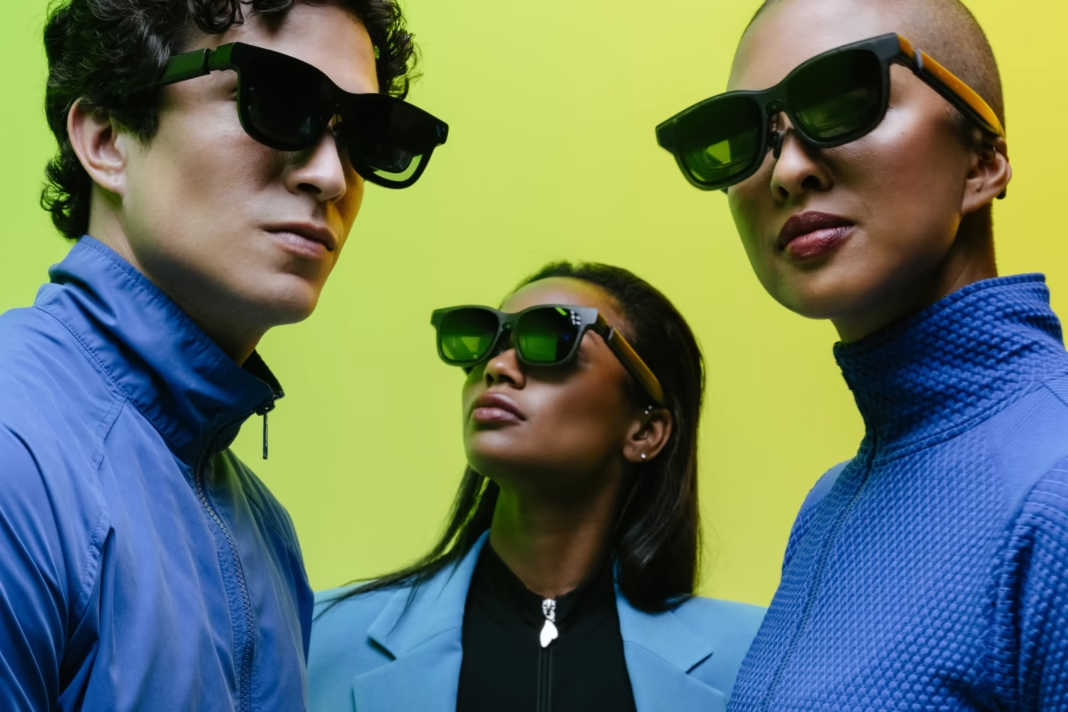

After testing dozens of portable displays and XR headsets over the years, the VITURE Beast stands out as the pair of XR glasses I now reach for before every trip. It delivers a massive private screen, bright Micro OLED visuals, and plug-and-play compatibility in a frame light enough to wear for long sessions on planes, trains, and in hotel rooms.
Why the VITURE Beast earns a permanent spot in my travel bag
Review: Travel demands gear that is compact, versatile, and reliable. The VITURE Beast checks all three boxes while adding features that genuinely improve the on-the-go experience. Its 174-inch virtual screen at 4 meters and 58-degree field of view create an immersive viewing area that feels like carrying a large monitor without the bulk. Peak brightness of 1250 nits keeps the image clear even in bright cabins or sunlit terminals, which is a common pain point with many XR glasses.
Comfort matters when you are wearing glasses for hours. At around 88 to 98 grams depending on size and with a magnesium-aluminum alloy frame, the VITURE Beast remains light yet sturdy for all-day wear. Adjustable nose pads and temple arms help dial in fit, and prescription lens frames are supported so you do not need to choose between clear vision and a big screen.
Real-world travel use cases where the VITURE Beast shines
I have used the VITURE Beast on flights, long train rides, and in noisy hotel lobbies, and it consistently turns any seat into a private theater or workstation. For media consumption, the 120 Hz refresh rate and high-contrast Micro OLED panels make movies and shows look crisp and smooth, while the Harman spatial audio adds depth without needing bulky headphones. The electrochromic dimming with auto transparency mode adapts the lens tint to your environment, which is useful when moving between dim cabins and bright airport corridors.
For productivity, the SpaceWalker companion app unlocks multi-window layouts with up to three screens, letting you keep email, documents, and a browser open side by side on a single wearable display. Built-in 3DoF spatial tracking through VisionPair anchors your virtual screens in space so they stay put as you move your head, reducing eye strain during long work sessions.
Gaming on the go is another strong suit. The VITURE Beast connects over USB-C to Steam Deck, laptops, and phones, and with the optional Mobile Dock it works with consoles like Switch, PS5, and Xbox for a big screen experience anywhere you can plug in. Real-time 2D to 3D conversion adds depth to compatible content, and five display modes, including ultra-wide and side window, let you tailor the layout to your task.
Performance and picture quality that justify the price
At an official price of 549 USD, the VITURE Beast sits in the premium segment, but the hardware backs it up. Sony Micro OLED panels deliver up to 1200p combined resolution with 108 percent sRGB color coverage and contrast ratios above 100000: 1, which makes text sharp and colors vivid for both work and entertainment. The 120 Hz refresh rate ensures smooth motion in games and video, while nine levels of brightness and dimming give fine control in different lighting.
IPD adjustment covers 58 to 70 mm in the regular size and up to 74 mm in the large size, which helps align the optics to your eyes for a clearer image and less fatigue. Wear detection pauses content when you take the glasses off, and the USB-C plug-and-play design means you can switch between iPhone, MacBook, Android, and Windows without driver headaches.
Practical tips for getting the most from the VITURE Beast on trips
To maximize the value of the VITURE Beast while traveling, pack a short USB-C to USB-C cable and, if you game on consoles, the Mobile Dock or Mobile Dock Mini for broader compatibility. Use the SpaceWalker app to set up your preferred multi-screen layout before you board so you can jump straight into work or entertainment. Enable auto transparency in bright environments and switch to darker tint modes for movies to reduce glare and improve perceived contrast.
If you wear prescription glasses, order the prescription lens frame in advance and test fit at home so you can adjust nose pads and temple arms before you travel. For long flights, enable wear detection and take short breaks to rest your eyes, which helps maintain comfort over multi-hour sessions.
Who should buy the VITURE Beast and who might wait
The VITURE Beast is ideal for frequent travelers, remote workers, and gamers who want a large private display without carrying a monitor. Its bright Micro OLED screen, wide field of view, and strong device compatibility make it a versatile tool for work, media, and play in almost any environment. If your primary need is basic video viewing on a budget, lower-cost options exist, but they often sacrifice brightness, field of view, and advanced features like 3DoF tracking and electrochromic tinting.
For first-time XR buyers, the VITURE Beast offers a balanced mix of performance and usability that reduces the learning curve while delivering a premium experience. Power users who need 6DoF room-scale tracking may want to wait for future updates or consider dedicated VR headsets, but for portable screen replacement, the VITURE Beast is currently one of the strongest choices available.
Final verdict on the VITURE Beast as a travel essential
The VITURE Beast earns its place as the first pair of XR glasses I bring on every trip because it combines a large, bright display, comfortable design, and flexible connectivity in a package that truly enhances travel. Whether you are editing documents on a plane, watching movies in a hotel, or gaming on a train, the VITURE Beast turns any seat into a personal theater or office. For anyone who values productivity and entertainment on the go, the VITURE Beast is a high-value investment that pays off on every journey.