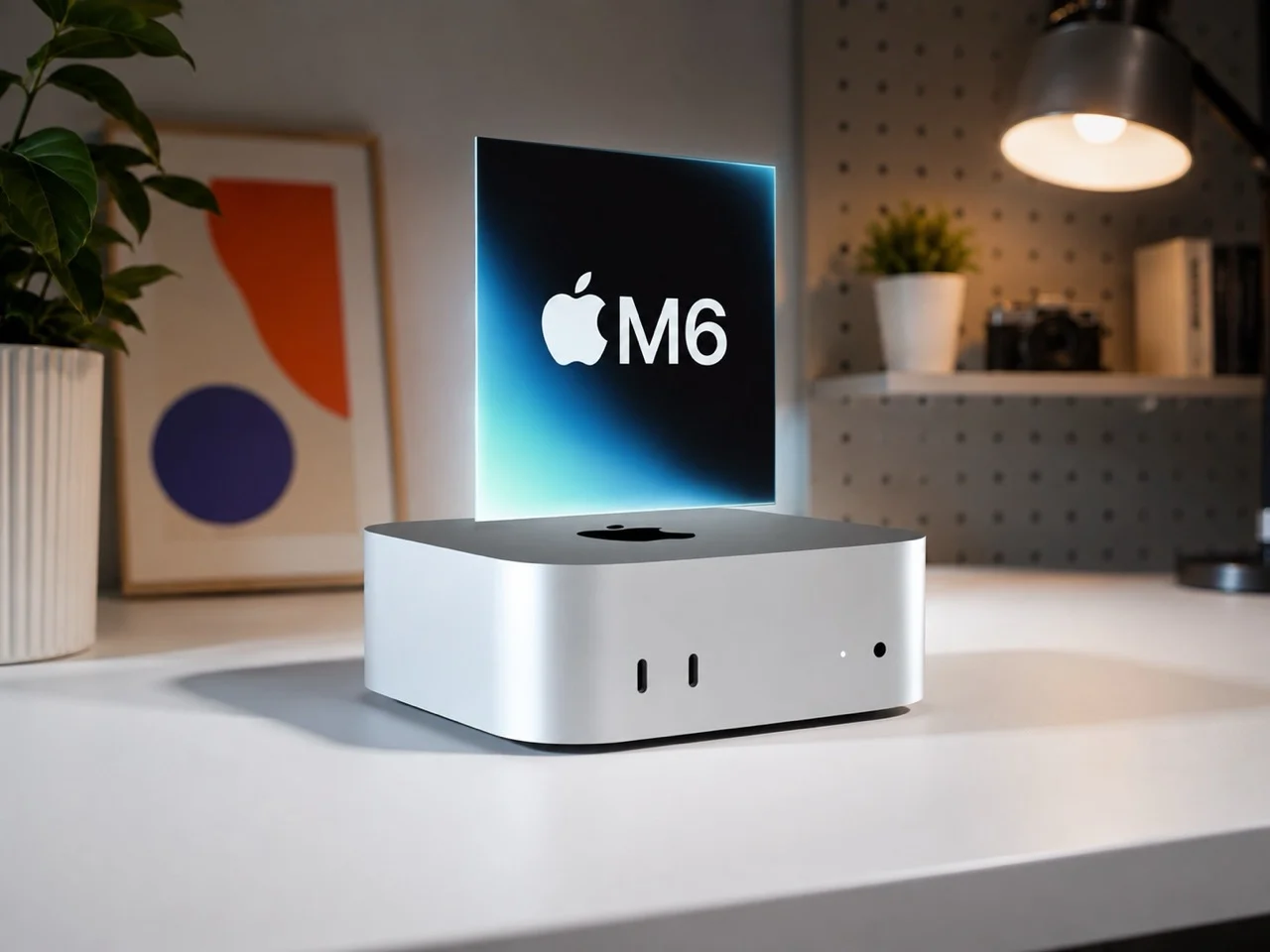

Apple has refreshed the Mac mini with two very different chip choices, the new M6 and the more powerful M5 Pro. The update keeps the familiar compact desktop design, but Apple has made significant changes inside the small machine, including faster performance, stronger AI capabilities, faster connectivity, and higher starting prices.
The new Mac mini starts at $899 in the United States with the M6 chip, while the M5 Pro version starts at $1,699. Both models are available for preorder, with customer deliveries scheduled to begin on September 22.
What makes this generation particularly interesting is that the M6 and M5 Pro chip options do not simply represent two steps in the same performance ladder. The M6 is newer, while the M5 Pro is designed as a higher-performance chip. That distinction matters when deciding which Mac mini makes sense for your workload.
The new Mac mini is still remarkably compact.
Apple has not redesigned the Mac mini for this generation. The company is keeping the compact aluminum enclosure introduced with the previous generation, which is one of the reasons the machine remains appealing for people who want desktop performance without a large computer sitting on their desk.
From my perspective, retaining the existing design makes sense. The Mac mini is already small enough to disappear behind a monitor or sit underneath a desk display. A dramatic redesign would have added little practical value unless Apple could have delivered better cooling, more ports, or substantially lower power consumption.
The bigger story is therefore happening inside the enclosure.
The M6 and M5 Pro chip options bring considerably more processing capability while preserving the small footprint that has become central to the Mac mini identity.
M6 brings a major performance jump.
The standard Mac mini now uses the M6 chip, which features a 12-core CPU and 12-core GPU. That is an increase from the 10-core CPU and 10-core GPU configuration of the previous M4 model. Apple says the M6 Mac mini can deliver up to 40 percent faster CPU performance, up to four times faster AI performance, and up to twice the graphics performance compared with the specified previous generation configuration.
The M6 and M5 Pro chip story becomes even more interesting when you look at Apple’s approach to AI.
The M6 includes a dual Neural Engine design, with two 16-core Neural Engines. Apple has also added Neural Accelerators to every GPU core. These changes are intended to improve workloads involving machine learning and generative AI.
That could be important for users who increasingly want to run AI applications locally instead of sending every task to a cloud service.
The M6 is also Apple’s first 2-nanometer Mac chip, another important technical change. Smaller manufacturing processes can help improve performance and efficiency, although real-world benefits depend heavily on the workload and software being used.
Why the M5 Pro can be faster than the newer M6
The naming can initially be confusing. The M6 is newer than the M5 Pro, but that does not mean the M6 Mac mini is the faster machine in every situation. The M5 Pro is a higher-tier processor designed for heavier professional workloads.
The entry M5 Pro configuration includes a 15-core CPU and 16-core GPU. Customers can also configure a version with an 18-core CPU and 20-core GPU. The M5 Pro models support up to 64GB of unified memory and up to 8TB of SSD storage.
This is where the M6 and M5 Pro chip comparison becomes useful.
If you mainly browse the web, edit documents, manage a large number of applications, edit photographs, or occasionally work with video, the M6 should already provide more than enough performance.
If your daily workload involves professional video editing, 3D work, software development, large AI models, advanced graphics, or other sustained workloads, the M5 Pro is the more interesting choice.
AI is becoming a bigger reason to buy a Mac mini.
Apple is clearly positioning the new Mac mini as more than a traditional desktop computer. The M6 and M5 Pro chip configurations are designed to handle increasingly demanding AI workloads locally. Apple describes the Mac mini as a desktop suitable for always-available agentic computing, reflecting the industry’s broader movement toward AI systems that can perform tasks rather than answer individual questions.
This is one of the areas where I think the new Mac mini has a genuine long-term advantage. A compact desktop that can remain powered on and connected to a network can be useful for local AI experimentation, automation, development environments, media processing, and server-like workloads.
The M6 and M5 Pro chip options also benefit from Apple’s unified memory architecture, which allows the processor and graphics hardware to access the same memory pool. That can be particularly useful for workloads where large datasets or AI models need to move between CPU and GPU resources.
Storage is faster, but upgrades still deserve careful thought.
Apple says the new Mac mini can deliver up to twice the storage speed compared with the previous generation. The M6 model can be configured with up to 2TB of SSD storage, while M5 Pro configurations can reach 8TB.
This is an area where buyers should think carefully before ordering.
Apple’s internal storage is fast and convenient, but upgrading capacity at purchase can become expensive quickly. For users who mainly work with documents, photos, and cloud services, the base capacity may be sufficient.
Creative professionals who regularly handle large video projects, high-resolution photography, virtual machines, or AI datasets should consider their storage requirements before choosing the configuration.
An external high-speed SSD can also be a sensible way to expand capacity without paying Apple’s full internal storage premium.
Connectivity gets a useful upgrade.
The new Mac mini retains two USB-C ports on the front, a headphone jack, HDMI, Ethernet, and three rear Thunderbolt ports. The M6 model uses Thunderbolt 4, while the M5 Pro version moves to Thunderbolt 5.
Ethernet has also been improved. A 2.5 Gigabit Ethernet connection is now standard, while 10 Gigabit Ethernet remains available as an upgrade.
For ordinary home users, the faster Ethernet connection may not make an immediate difference. For professionals working with network storage, large media files, backups, or local servers, it can be much more meaningful. Apple has also added Wi Fi 7 and Bluetooth 6 through its N1 connectivity chip.
Three external displays are still supported.
The new Mac mini continues to support up to three external displays.
That makes the machine particularly attractive for professionals who prefer a multi-screen workstation. Developers can use one screen for code, another for documentation, and another for testing. Editors can separate timelines, previews, and media libraries.
The M6 and M5 Pro chip distinction also matters here because the M5 Pro configuration is better suited to demanding professional workflows where multiple displays are combined with heavy processing.
The biggest problem is the price.
The most controversial part of the new Mac mini is probably not performance. It is price. The M6 Mac mini starts at $899 with 16GB of unified memory and 256GB of storage. The M5 Pro model starts at $1,699 with 24GB of memory and 512GB of storage.
That represents another increase for the Mac mini. The previous generation originally started at $599, although Apple increased the price to $799 earlier this year. The new M6 model therefore costs $100 more than the recently increased price and $300 more than the original launch price.
This changes the value proposition.
For years, the Mac mini was one of the easiest Apple computers to recommend because it offered a relatively affordable entry point into macOS. At $899, it is still less expensive than many high-end desktop systems, but it no longer feels like the inexpensive Mac option it once was.
Why Apple is raising the price
The price increase is arriving during a period when demand for memory and storage components has been affected by the rapid expansion of AI infrastructure.
Reports around the launch have connected rising memory costs and supply pressure with higher prices across Apple’s Mac lineup.
That does not mean buyers should automatically accept every price increase as justified. It does, however, provide important context for why Apple is making the Mac mini more expensive at the same time that its hardware requirements are becoming more demanding.
The M6 and M5 Pro chip options deliver significantly more computing capability, particularly for AI workloads, but consumers still have to decide whether that extra capability is worth the additional money.
Which Mac mini should you buy?
For most people, I would start with the M6. The M6 Mac mini is powerful enough for office work, web browsing, programming, photo editing, general content creation, and many demanding applications. Its 12-core CPU and 12-core GPU give it plenty of headroom for everyday use.
The M5 Pro makes more sense if your computer is a professional tool. Video editors, 3D artists, developers working on demanding projects, AI researchers, photographers with large workflows, and other power users can benefit from the additional CPU and GPU resources.
The important thing is not to buy the M5 Pro simply because it sounds more premium. If your workload cannot take advantage of its additional performance, you are paying for capacity you may rarely use.
The M6 and M5 Pro chip options change the Mac mini’s identity.
The new Mac mini is no longer simply Apple’s affordable desktop.
The M6 and M5 Pro chip configurations push it toward two different audiences. The M6 model is a compact mainstream desktop with unusually strong performance, while the M5 Pro model is closer to a professional workstation disguised as a tiny computer.
That is a compelling combination. The problem is that the price now reflects that ambition. Apple has managed to make the Mac mini considerably more capable without making it physically larger. The M6 and M5 Pro chip options, faster storage, improved networking, Wi Fi 7, Bluetooth 6, and stronger AI capabilities make this one of the more interesting Mac mini updates in recent years. But buyers should not overlook the higher cost.
My verdict on the new Mac mini
I think the new Mac mini is an impressive technical upgrade, but it is not the automatic bargain that earlier generations were. The M6 is the model I expect most buyers to choose. It combines strong CPU and GPU performance with improved AI capabilities and a compact design that remains remarkably practical.
The M5 Pro is the more exciting option for professionals. Its additional cores, larger memory ceiling, faster Thunderbolt 5 connectivity, and expanded storage options give it much more workstation potential.
The M6 and M5 Pro chip choices ultimately make the Mac mini more flexible, but also more expensive.
For readers following Tech News, this launch is worth watching because it reflects a broader change in Apple’s desktop strategy. Apple is increasingly treating the Mac mini as a serious platform for local AI and professional computing rather than simply an inexpensive entry point into the Mac ecosystem.
If your current Mac is still handling everything you need, there is no urgent reason to upgrade. But if you have been waiting for a compact desktop capable of handling modern AI and professional workloads, the new Mac mini deserves a serious look.
The smartest purchase will depend less on the name of the chip and more on what you actually do with your computer every day.