
Article Highlights
- The new Mac Studio with M5 Ultra can support up to eight external displays.
- Thunderbolt 5 connectivity plays an important role in the new Mac Studio display setup.
- Eight displays can be useful for video editing, software development, design, and engineering.
- The eight-screen configuration has specific resolution, refresh rate, and connectivity requirements.
- Most users do not need eight screens, but professional workflows can benefit significantly from the additional workspace.
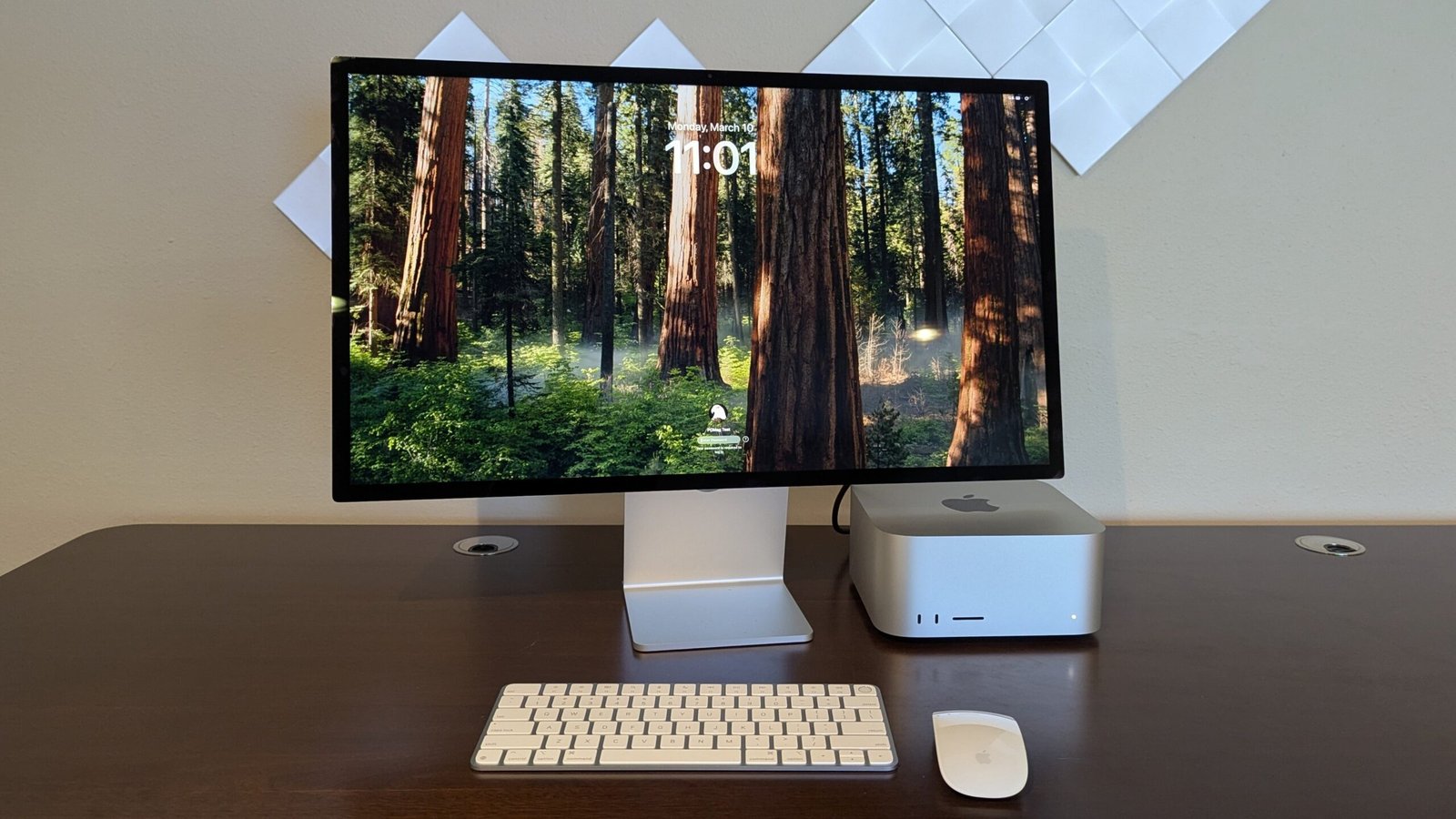
Apple has given the new Mac Studio a major advantage for professionals who work across multiple displays. The M5 Ultra version can support up to eight external screens, while the M5 Max model supports up to five. That makes the new Mac Studio far more interesting for video editors, engineers, designers, developers, production teams, and other professionals who need a large amount of information visible at the same time.
At first glance, eight screens may sound excessive. Most people can comfortably work with one, two, or perhaps three displays. However, once you look at how professional workflows are organized, the reason for this capability becomes much clearer. The new Mac Studio is not simply designed for someone who wants eight ordinary monitors on a desk. Its display capacity is aimed at demanding environments where every screen can have a specific purpose.
What makes the new Mac Studio capable of driving eight screens
The biggest reason is the processing and connectivity capability of the M5 Ultra. Apple has built the new Mac Studio around its M5 Max and M5 Ultra chips, with the M5 Ultra reaching up to 36 CPU cores and 80 GPU cores. It can also be configured with up to 512GB of unified memory, giving professional users considerable resources for demanding applications and large workloads.
The new Mac Studio also includes up to six Thunderbolt 5 ports, alongside HDMI and other connectivity options. Thunderbolt 5 provides bandwidth of up to 120Gbps, allowing the computer to handle high-performance external devices and displays. This combination of graphics processing capability and high-speed connectivity is central to the new Mac Studio display expansion.
Apple officially lists support for up to eight displays on the M5 Ultra model. The eight-display configuration requires supported display daisy-chaining or a supported dock on the front Thunderbolt ports. This is an important detail because eight screens does not mean simply plugging eight independent monitors directly into eight separate ports.
The eight display limit has important conditions.
The headline number is impressive, but buyers should look beyond it. The maximum display count depends on resolution and refresh rate.
Apple states that the M5 Ultra Mac Studio can support eight external displays at up to 6K resolution at 60Hz or 4K resolution at 144Hz when the required port configuration and supported daisy chain or dock are used. That means users have substantial flexibility, but they still need to plan the display setup carefully.
This is one reason the new Mac Studio should not be judged simply by the number eight. Eight lower-resolution displays place different demands on the system compared with a collection of very high-resolution displays running at high refresh rates.
Apple also says the new Mac Studio can support up to four Studio Display XDR monitors at full 5K resolution and 120Hz. That is a particularly interesting option for professional users who need large, high-quality screens rather than a large collection of smaller displays.
Why professionals can actually use eight screens
The practical argument for the new Mac Studio becomes stronger when you look at professional software. Video editing is one of the clearest examples.
A video editor may need one display for the main timeline, another for media organization, another for editing controls and effects, and a separate large screen for viewing the finished footage. Color grading can require additional space for scopes and monitoring tools. Keeping these elements visible can reduce the constant opening and closing of panels and windows.
The original AppleInsider report also points out that professional editing environments can benefit from separate screens for editing, previewing, and color-related information.
For a serious production studio, the new Mac Studio therefore has a very different meaning than it does for a typical office worker. More displays can mean a more efficient workflow rather than simply a larger desktop.
Developers can benefit from a large display workspace.
Software developers are another group that can make good use of the new Mac Studio. A developer might dedicate one display to source code, another to documentation, another to a terminal, another to testing, and another to monitoring logs. A separate display could be used for a browser-based application under development.
This arrangement is particularly useful when working on large software projects where switching between windows becomes a distraction. The new Mac Studio gives professionals the option of building a workspace around separate screens instead of forcing everything into overlapping windows.
Designers and digital artists have different needs.
Graphic designers, illustrators and digital artists can also benefit from multiple screens. One large display can contain the main artwork while another holds tool panels, reference images and project information.
There is another interesting detail that is easy to overlook. Some professional drawing tablets include their own displays. That means a display does not necessarily have to look like a traditional desktop monitor. A graphics tablet can become part of the overall display setup while allowing an artist to work directly on the visual material.
For these users, the new Mac Studio can provide a much more flexible creative environment.
Engineers and specialist workplaces can use multiple displays.
Engineering environments can also benefit from extensive display setups. Professionals working with technical diagrams, simulations, monitoring systems or detailed design applications often need to keep several sources of information visible simultaneously.
The same principle applies to medical and specialist environments where the primary operator can use one display while additional screens provide information for colleagues or observers. AppleInsider highlights engineering and surgical environments as examples where multiple precision displays can make sense.
The new Mac Studio is therefore not only about traditional desktop productivity. Its display capability can be useful anywhere a computer needs to present several information sources at the same time.
Eight screens can also make sense on a stage or production set.
There are professional situations where the displays are not all being used by one person. A production environment can use different screens for different operators or tasks. A stage setup might use displays for performers, technicians, and control systems, while another output feeds a large projection system.
Large video walls provide another example. What appears to the audience as one enormous screen can actually consist of several individual displays or display sections. A powerful desktop computer can help manage different visual outputs while maintaining a central production workflow.
AppleInsider also notes examples involving film sets, live performances, presentations and large video walls.
The new Mac Studio is not designed for everyone.
This is perhaps the most important point for ordinary buyers. The new Mac Studio can support eight screens, but that does not mean most people should buy eight screens or even choose the M5 Ultra configuration.
For someone browsing the web, writing documents, managing email, and handling everyday office tasks, one or two good monitors are usually more than enough. Spending substantially more for the ability to connect eight displays would make little financial sense.
The M5 Ultra configuration is aimed at users whose professional workload can actually benefit from its performance and connectivity. The display capability is one part of a much larger system designed for demanding creative, technical, and artificial intelligence workloads. Apple says the M5 Ultra can deliver significant gains in graphics and CPU performance compared with earlier generations and supports large amounts of unified memory for demanding local workloads.
What this means for Mac Studio buyers
If you are considering the new Mac Studio, the right question is not whether you can connect eight screens. The better question is whether your work benefits from having that many screens.
For video professionals, developers, engineers, designers, production teams and other specialists, the answer can be yes. For most general users, the answer is probably no.
It is also important to plan the entire setup before purchasing monitors, docks and cables. Resolution, refresh rate, Thunderbolt connectivity, docking support and display daisy-chaining can all affect what is possible.
The new Mac Studio gives professionals considerable room to build a workstation around their actual workflow instead of forcing every application into a small number of screens.
Why this matters in the bigger Mac picture
Apple’s decision to push the new Mac Studio toward eight displays is another indication of how far Apple silicon desktops have moved beyond conventional office computers.
The new Mac Studio combines high-end processing, large unified memory configurations, fast Thunderbolt 5 connectivity, and extensive display support in a compact desktop design. The M5 Ultra model is particularly interesting because its maximum display capacity makes it suitable for workflows that previously required more complicated workstation arrangements.
For readers following Apple developments as part of the Tech News category, the eight-display capability is more than a specification designed to attract attention. It demonstrates how Apple is positioning the Mac Studio as a serious professional workstation for users who need both computing power and an unusually flexible visual workspace.
My Opinion
The reason the new Mac Studio can support up to eight screens is a combination of its powerful M5 Ultra graphics architecture, high-speed Thunderbolt 5 connectivity, and Apple’s support for advanced display configurations.
The eight-screen capability is certainly not necessary for everyone. In fact, most Mac users will never come close to using it. But for professionals working with complex editing timelines, color grading, software development, engineering applications, drawing systems, production controls, or large visual installations, those extra screens can become genuinely useful.
The most impressive part is not simply that the new Mac Studio can drive eight displays. It is that the hardware gives professionals enough performance and connectivity to make such a complicated workstation practical.
For everyday users, two excellent monitors may be the smarter choice. For specialist users whose work depends on seeing many things at once, however, the new Mac Studio offers a level of display flexibility that can transform the way a desktop workstation is organized.